
Flits allows merchants to automatically add refunded order amounts back to the customer’s Flits store credit balance. This helps merchants provide refunds in the form of store credit for eligible orders.
Navigation path: Flits Admin → Loyalty Program → Store Credit → Scroll to “Store Credit Adjustment of Refunded Orders”
Plan availability: This feature is available for Established Plan users only.
Setup steps
Step 1
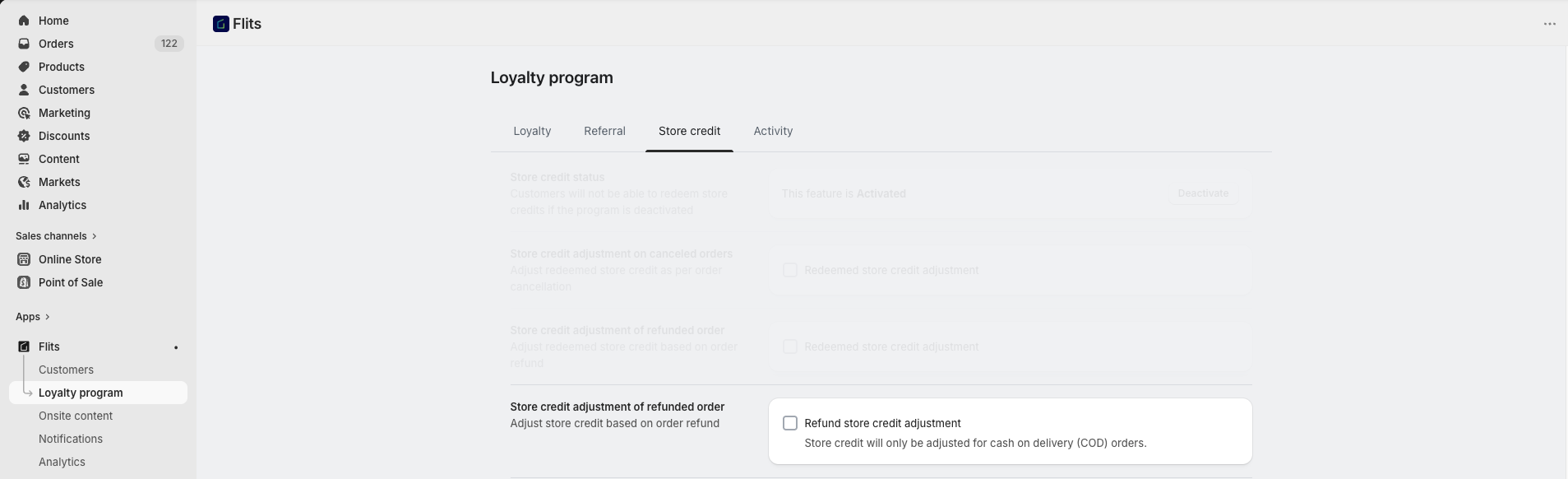
Open the refund credit adjustment setting
Go to Flits Admin → Loyalty Program → Store Credit and scroll to Store Credit Adjustment of Refunded Orders.
Step 2
Enable refund store credit adjustment
When this setting is enabled, the refunded order amount is automatically added back to the customer’s store credit balance after the refund is processed.
Example: If a $100 COD order is refunded, the refunded amount can automatically be added back to the customer’s store credit balance.
Step 3
Process the refund for eligible orders
Refund Store Credit Adjustment currently applies only to Cash on Delivery (COD) orders.
Important: This feature does not work for prepaid orders.
Important notes
- This feature supports both partial and full refunds.
- Shopify refund or return status must be updated correctly for successful processing.
- Store credit adjustment processing may take a short time depending on Shopify webhook synchronization.
Frequently asked questions
Yes. If Store Credit Adjustment of Refunded Order is enabled, refunded amounts are added back as Flits store credit.
Yes. Store Credit Adjustment of Refunded Order applies all type of orders.
Need help?
For assistance with refund store credit settings, contact us at support@getflits.com.